
Lead Routing for Roofers: Book More Jobs, Faster
Automate your lead routing so every new inquiry lands in your CRM within seconds, gets triaged for storm damage and insurance status, and triggers an immediate response. If you have the staff and technical bandwidth, a DIY stack built on Zapier, JobNimbus or Housecall Pro, and a call-tracking layer gets you there. If you want faster results without the setup headaches, a managed storm-response service like Areions delivers qualified leads directly into your pipeline with a 30-day guarantee and no long-term contract.
Here is what you can expect once routing is running:
- Faster callbacks: Automated notifications reach your closest available rep in seconds, not minutes.
- Higher contact rate: The first roofer to respond wins the job far more often than the best-priced one.
- More inspections booked: Immediate acknowledgment keeps homeowners from calling the next company on their list.
- Less lead leakage: Every inquiry is logged, assigned, and tracked, so nothing slips through.
Who should go DIY: Roofing companies with a dedicated ops person, existing CRM access, and time to test integrations over 4–6 weeks.
Who should go managed: Owners who want leads flowing within 30 days and do not want to build or maintain a routing system themselves.
Key Takeaways
Automated lead routing, paired with a dedicated storm-triage lane and a sub-5-minute SLA, is the highest-leverage change a roofing company can make to increase booked inspections from the same lead volume.
| Point | Details |
|---|---|
| Speed wins the job | The first roofer to respond, even with an automated acknowledgment, books the inspection far more often than the best-priced competitor. |
| Storm leads need their own lane | Treat insurance-claim and storm-damage leads as a separate routing priority with a 5-minute SLA and a single named owner. |
| Five metrics drive routing ROI | Track response time, contact rate, inspection-booked rate, lead-to-job conversion, and lead source ROI to validate every routing change. |
| DIY vs. managed depends on bandwidth | Build your own stack if you have an ops person and 4–6 weeks; choose a managed service if you want leads flowing within 30 days without building anything. |
| Areions delivers verified leads, guaranteed | Areions routes human-verified storm-damage leads directly into your CRM with territory exclusivity, month-to-month service, and a 30-day qualified-lead guarantee. |
Table of Contents
- Why lead routing for roofers changes sales outcomes
- How a roofing lead routing system actually works
- Which CRM and tool integrations do roofers need?
- What routing rules should roofers actually deploy?
- How to qualify and verify roofing leads before sending crews
- How to automate follow-up so leads do not go cold
- Managing multiple estimators and territories without dropping leads
- Which metrics tell you if your routing is actually working?
- What does lead routing software cost, and what is the ROI?
- How to roll out lead routing in 30–90 days
- How Areions handles storm-response lead routing for roofing companies
- The part of lead routing most roofers get wrong
- Qualified roofing leads delivered to your CRM, ready to close
- Sources
Why lead routing for roofers changes sales outcomes
Speed is the variable most roofing owners underestimate. A homeowner with fresh hail damage calls three companies. The first one to respond, even with a simple “We’re on it, expect a call in 15 minutes,” wins the appointment the majority of the time. The second and third callers are fighting over scraps.
ApexLeadz reports that roofing customers using automated response under five seconds book substantially more appointments from the same lead volume. That is not a marginal improvement. It means the same marketing budget produces more revenue, purely because the routing system is faster.
Roofing is uniquely exposed to this dynamic for two reasons. First, storm events compress demand into a narrow window. Every homeowner in a hail corridor is calling roofers at the same time, and the first crew to show up for an inspection captures the job before competitors even return the call. Second, the average roofing job is a high-ticket transaction, often $8,000–$20,000 or more for a full replacement, which means a single missed lead can cost more than a month of software subscriptions.
Pro Tip: Treat storm-damage and insurance-claim leads as a completely separate routing lane with its own SLA and owner. According to the ProTradeHQ storm-season checklist, the first 15 minutes after a storm inquiry are the highest-leverage window you have. Do not let those leads sit in a general queue.
After routing improvements, roofing companies typically see:
- Contact rate climb as more leads receive an immediate acknowledgment.
- Inspection-booked rate rise because reps reach homeowners while intent is still high.
- Lead leakage drop as every inquiry gets a logged owner and a follow-up trigger.
- Rep accountability improve because managers can see exactly when each lead was contacted.
How a roofing lead routing system actually works
The core flow is straightforward: capture the lead, qualify it, route it to the right rep, notify that rep immediately, and log everything in your CRM. Each step matters, and a gap in any one of them bleeds revenue.
Capture is where most roofing companies lose leads before routing even starts. Homeowners contact you through phone calls, web forms, paid lead platforms, door-to-door canvassing cards, and increasingly through AI answering services that handle calls after hours. AI intake tools built for roofers can collect insurance status, damage type, urgency level, and roof age during the first call, then book an inspection or transfer urgent calls to a human, 24 hours a day.
Qualification happens next. Automated scripts or AI scoring rules filter leads by service area, damage indicators, insurance claim status, and urgency. Leads that pass the filter move forward; leads that do not get tagged for nurture or disqualification. Leadveyor’s roofing lead management platform uses urgency-based scoring that separates active leaks from planned replacements from insurance claims, each with a different priority level and routing path.
Routing assigns the qualified lead to the right rep based on rules you define: territory, skill set, availability, or simple round-robin. The routing engine fires a notification, typically an SMS and an app alert, to the assigned rep within seconds.
Notification and scheduling close the loop. The rep gets the lead details, a direct link to the homeowner’s address, and ideally a calendar booking link. If the rep does not respond within your SLA window, the system escalates to a backup owner.
CRM logging runs in parallel throughout. Every touchpoint, call recording, form submission, and rep action, is written to the lead record automatically.
Common capture points to build into your system:
- Inbound phone calls (tracked numbers by source)
- Website contact forms and chat widgets
- Paid lead platforms (routed via webhook or Zapier)
- Canvassing apps that log addresses and photos in the field
- Social media lead ads connected via API
- AI answering services handling after-hours calls
For each capture point, collect at minimum: full address, homeowner name and phone, damage type, insurance claim status, urgency level, and any photos the homeowner can share.
Which CRM and tool integrations do roofers need?
Your routing system is only as good as the tools it connects. The most valuable integrations are your CRM, your calendar, your call-tracking layer, and your estimating or bid tool. Everything else is secondary.
JobNimbus
JobNimbus is one of the most widely used CRMs in residential roofing. It handles lead records, pipeline stages, job costing, and photo documentation. In a routing workflow, JobNimbus receives the new lead record, triggers an internal task for the assigned rep, and tracks every stage from inquiry to signed contract. Native integrations with several lead sources and Zapier connectivity cover most connection needs.
Jobber
Jobber targets service businesses broadly but has strong adoption among smaller roofing operations. Its scheduling and dispatching features make it a natural fit for booking inspections directly from a routing trigger. If your team runs fewer than five estimators and you want scheduling tightly coupled with lead assignment, Jobber is worth evaluating.
Housecall Pro
Housecall Pro adds a consumer-facing booking experience on top of standard CRM functions. Homeowners can self-schedule inspections through a branded booking page, which reduces the friction of the callback step. For roofing companies that generate a high volume of inbound web leads, that self-scheduling layer can meaningfully improve conversion without adding rep time.
HighLevel / LeadConnector
HighLevel, often deployed under the LeadConnector brand by marketing agencies, is a full marketing automation platform. It handles SMS sequences, email drips, voicemail drops, pipeline management, and two-way conversation tracking in one system. Roofing companies that want to run their entire follow-up cadence, from first auto-reply through 14-day nurture, inside a single platform often land here. It requires more configuration than a purpose-built roofing CRM but offers more automation flexibility.
Zapier
Zapier is the connective tissue for any stack that lacks native integrations. If your lead source does not connect directly to your CRM, Zapier bridges the gap with a webhook or a pre-built “Zap.” Common use cases: routing a Facebook Lead Ad submission into JobNimbus, triggering an SMS from a new Roofr estimate request, or logging a missed call from your tracking number into a Google Sheet for daily review.
Roofr
Roofr is a roofing-specific estimating and proposal platform. In a routing context, Roofr matters because a new estimate request is a high-intent lead signal. Connecting Roofr to your CRM or HighLevel means that the moment a homeowner requests a quote, the routing engine fires and a rep is notified before the homeowner has time to request a second quote from a competitor.
Pro Tip: Before you build any integration, validate four things: API access is enabled on your CRM plan, your call-tracking numbers are routable to individual reps (not just a main line), your calendar syncs bidirectionally so bookings appear in both the CRM and the rep’s personal calendar, and your duplicate-detection logic is active. A lead that creates two records in your CRM is a lead that gets called twice by different reps, which kills trust fast.
Integration checklist before rollout:
- CRM API access confirmed and credentials documented
- Call-tracking numbers assigned per source and per rep
- Calendar sync tested (booking in CRM reflects in rep’s calendar and vice versa)
- Duplicate-detection rule active (match on address + phone)
- Zapier or webhook tested end-to-end with a live test lead
- Lead source tags configured so every record shows its origin
What routing rules should roofers actually deploy?
The best routing setup for most roofing companies layers rules in a specific order: storm triage first, then territory filter, then availability check, then round-robin or skill match, then escalation. Running them in that sequence means the highest-value leads always get the fastest, most qualified response.
Round-robin
Round-robin distributes leads evenly across all available reps in rotation. It is the simplest rule to implement and works well when your reps cover overlapping territories and have similar close rates. The downside is that it ignores geography, so a rep in the south part of your market might get assigned a lead 40 miles north. For companies with two or three generalist estimators, round-robin is a reasonable starting point.
Territory-based routing
Territory rules assign leads based on the homeowner’s address falling within a defined geographic boundary. Each rep owns a zip code cluster or a drawn polygon on a map. This cuts drive time, improves rep familiarity with local insurance adjusters, and makes it easier to hold reps accountable for their area’s conversion rate. The trade-off is that if one territory gets slammed during a storm and another is quiet, you need a manual override or a backup-owner rule to rebalance.
Skill-based routing
Skill-based rules match leads to reps based on job type, insurance expertise, or language. A rep who specializes in insurance claims should get every lead flagged as “insurance claim in progress.” A bilingual rep should get leads from Spanish-speaking homeowners. This rule type requires clean data in your CRM (rep skill tags) and a qualification step that captures the right lead attributes upfront.
First-available routing
First-available sends the lead to whichever rep responds to the notification first. It creates healthy competition and guarantees the fastest possible human response. The risk is that aggressive reps accumulate leads while slower ones sit idle, which skews your pipeline data and can cause burnout on one side and disengagement on the other.
Value-prioritized routing
For storm-damage and insurance-claim leads, apply a priority flag that bypasses the normal queue and goes straight to your best closer or your dedicated storm rep. These leads have the highest average job value and the shortest decision window. Treating them like routine replacement inquiries is one of the most expensive mistakes a roofing company makes.
After-hours and on-call routing
Leads that arrive outside business hours need a defined path. The ProTradeHQ storm-season checklist recommends separating emergency routing (active leak, structural damage) from standard after-hours nurture. Emergency calls go to an on-call rep immediately. Everything else gets an automated acknowledgment and enters a morning queue.
Policy examples to define before go-live:
- Notification SLA: Rep must acknowledge the lead within 5 minutes (storm) or 30 minutes (routine).
- Hold window: If no acknowledgment in 5 minutes, re-route to the backup owner.
- Escalation chain: Backup owner gets 10 minutes, then the sales manager is notified.
- Re-route limit: A lead re-routes a maximum of two times before it flags for manual review.
Pro Tip: To prevent lead ping-pong, where a lead bounces between reps and nobody takes ownership, set a hard rule: once a lead is re-routed, the second owner is locked in and cannot be changed without manager approval. Duplicate assignment is the fastest way to confuse a homeowner and lose the job.
How to qualify and verify roofing leads before sending crews
Quick verification filters save your estimators from driving to addresses that were never real opportunities. The goal is not to disqualify aggressively but to triage so your best reps spend their time on closable jobs.
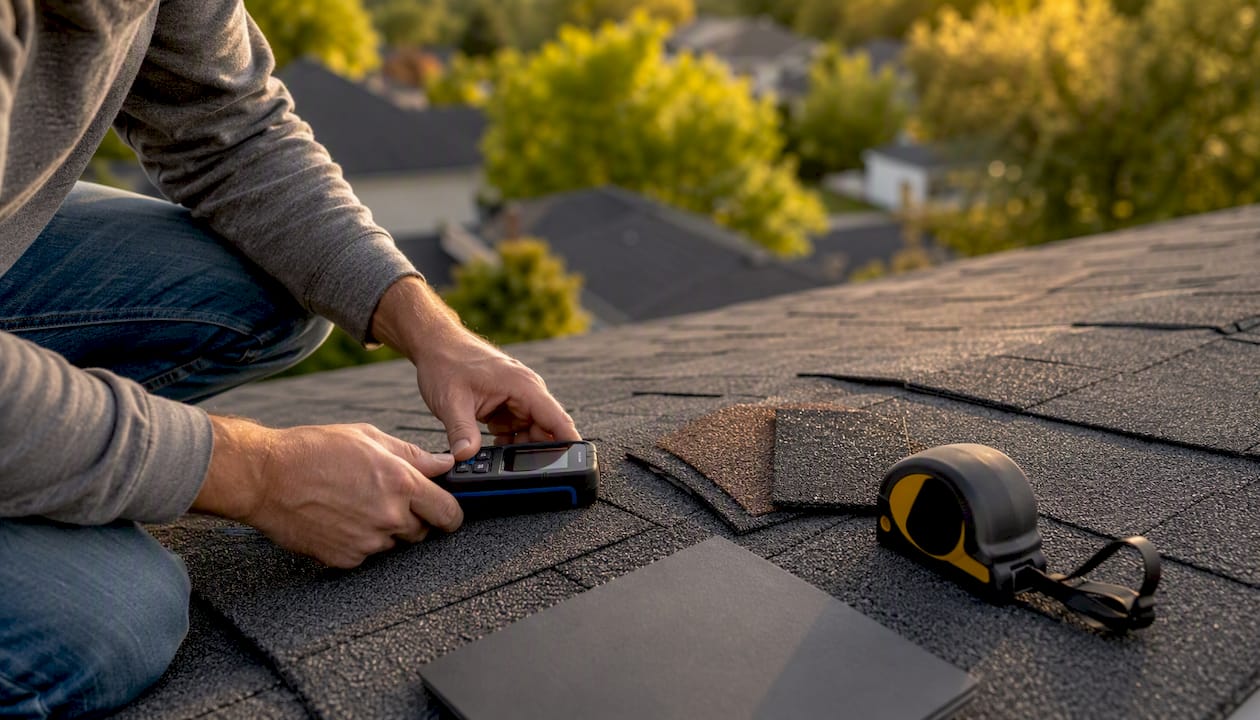
A hybrid approach works best: automated scripts collect the initial data, then a short human verification step catches the context flags that automation misses. An AI intake service can confirm the address is in your service area, ask about insurance status, and capture urgency level. A human reviewer, or a trained intake rep, then confirms the damage description makes sense and that the homeowner is the decision-maker.
AI answering services configured for roofing can collect roof type, claim status, and urgency during the first call and selectively transfer only high-value or urgent calls to a human, which reduces estimator interruptions without losing leads.
Verification checklist for every inbound lead:
- Service area: Address falls within your defined territory.
- Storm-damage indicators: Homeowner describes hail, wind, or water damage consistent with a recent weather event.
- Insurance claim status: Claim filed, claim in progress, or homeowner plans to file.
- Roof type and age: Shingle, metal, flat; age matters for insurance eligibility.
- Urgency level: Active leak or structural concern vs. cosmetic damage vs. planned replacement.
- Decision-maker confirmed: The person calling is the homeowner or has authority to approve work.
- Financing interest: If no insurance, is the homeowner open to financing options?
- Photos available: Can the homeowner send photos before the inspection?
Example verification questions for initial contact:
- “Was your home affected by the recent storm in your area?”
- “Have you already filed a claim with your insurance company, or are you planning to?”
- “Is there any active leaking or damage that needs immediate attention?”
- “Are you the homeowner, or is there someone else we should include in the conversation?”
- “Can you send us a couple of photos of the damage before we schedule the inspection?”
Leadveyor’s urgency-based scoring separates active leaks from planned replacements from insurance claims, each with a different routing priority. Building that same logic into your own qualification step, even manually at first, immediately improves how your reps spend their time.
How to automate follow-up so leads do not go cold
Automate an immediate response and plan 3–5 follow-ups over 7–14 days. The channel mix should reflect lead type: SMS for urgency, email for documentation, voicemail drops for warm-but-unresponsive leads.
Speed-to-lead is less about perfect qualification and more about immediate engagement. An automated acknowledgment preserves lead intent until a human can verify and call back. A homeowner who gets a text within 30 seconds of submitting a form is far less likely to call the next roofer on their list.
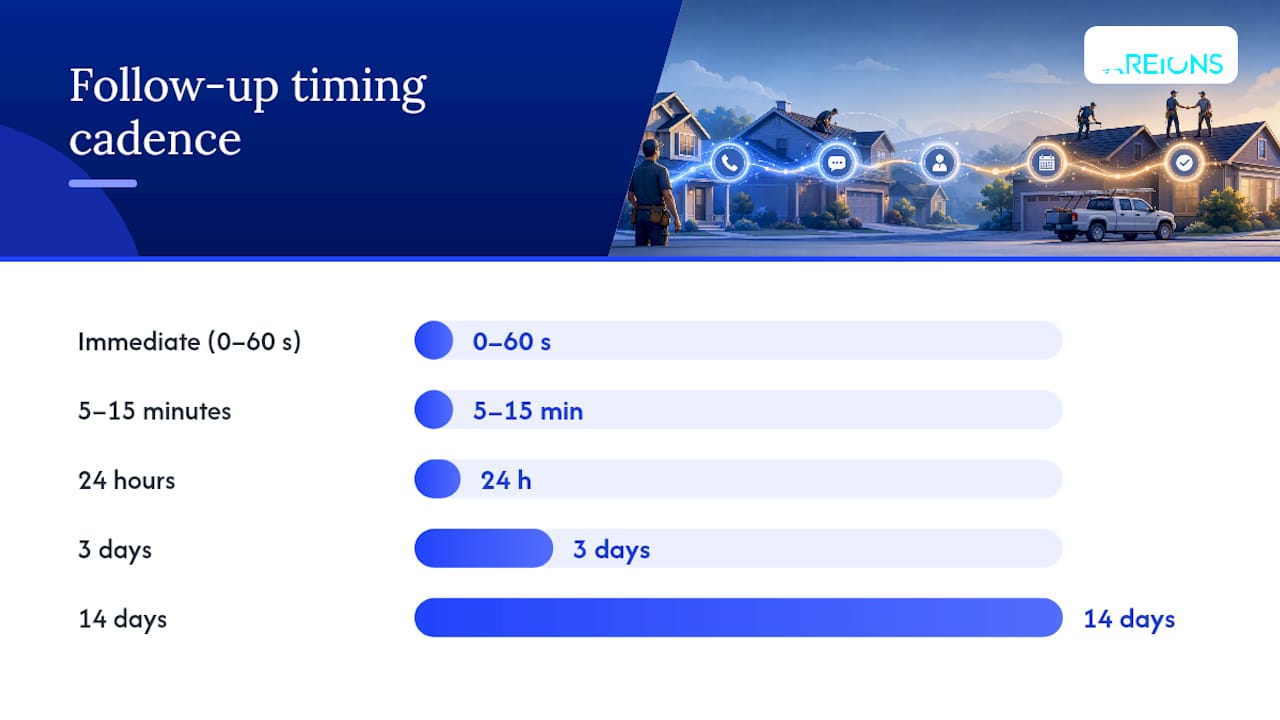
Suggested timing cadence:
- Immediate (0–60 seconds): Automated SMS acknowledgment confirming receipt and promising a callback within 15 minutes.
- 5–15 minutes: Rep calls the homeowner. If no answer, leave a brief voicemail and send a follow-up SMS.
- 24 hours: Email with your company credentials, a brief explanation of the inspection process, and a scheduling link.
- 3 days: SMS check-in if no appointment booked. Keep it short and personal.
- 7 days: Voicemail drop from the rep’s recorded line with a soft offer to answer questions.
- 14 days: Final email nurture with a seasonal urgency note (storm season, insurance deadlines) and a direct booking link.
Example SMS templates:
Immediate auto-reply: “Hi [First Name], this is [Company]. We got your message about roof damage and we’re on it. Expect a call from us within 15 minutes. Questions? Reply here anytime.”
5-minute follow-up (if no answer): “Hi [First Name], we just tried calling. We’ll try again shortly. If you’d like to pick a time for your free inspection, here’s our link: [booking URL].”
3-day check-in: “Hey [First Name], still thinking about getting your roof checked out? We have openings this week. Reply ‘YES’ and we’ll get you scheduled.”
Example voicemail drop script (7-day): “Hi [First Name], this is [Rep Name] from [Company]. I wanted to follow up on your roof inquiry from last week. No pressure at all. I just want to make sure you have everything you need to make a good decision. Give me a call back at [number] or just reply to any of our texts. Have a great day.”
Escalate to a human call when a lead replies to any automated message, when urgency indicators suggest active damage, or when a lead has been in the sequence for more than three days without booking. Include a direct scheduling link in every touchpoint so homeowners can self-book without waiting for a callback.
Managing multiple estimators and territories without dropping leads
Clear ownership rules prevent leakage. Define who owns a lead at every pipeline stage, and make sure your CRM enforces it with task assignments and SLA alerts.
The most common failure mode in multi-rep operations is not a technology problem. It is an ownership problem. A lead sits in the queue, two reps assume the other one is handling it, and the homeowner books with a competitor. The fix is simple: every lead has one owner at all times, and that ownership is visible to the whole team.
SLA tiers to define and enforce:
- Emergency (active leak, structural damage): Rep acknowledges within 5 minutes, calls within 15 minutes.
- Hot lead (storm damage, insurance claim filed): Rep acknowledges within 15–30 minutes, calls within the hour.
- Routine inquiry (planned replacement, no urgency): Rep acknowledges within 2 hours, calls within 24 hours.
SLA enforcement works through CRM alerts. When a lead crosses its SLA threshold without a logged contact attempt, the system notifies the sales manager and triggers the escalation chain.
Territory backup rules matter most during storm events, when one area gets saturated and another is quiet. Assign every territory a primary owner and a secondary owner. If the primary owner’s queue exceeds a defined threshold (say, 10 open leads), new leads in that territory automatically route to the secondary owner until the queue clears.
Coordination processes to run weekly:
- Daily queue review: Each rep reviews their open leads at the start of the day and flags any that need manager attention.
- Missed-call debrief: Any lead that was not contacted within SLA gets a brief review: why did it miss, and what changes prevent recurrence?
- Duplicate-address detection: Run a weekly check for leads with the same address assigned to different reps. Resolve ownership before both reps show up for the same inspection.
- Source performance review: Which lead sources are producing the highest contact rates and conversion rates? Shift budget toward the best performers.
Which metrics tell you if your routing is actually working?
Track five numbers: response time, contact rate, inspection-booked rate, lead-to-job conversion, and lead source ROI. Everything else is secondary until those five are healthy.
Response time is the gap between lead creation and the first logged contact attempt. Target under 5 minutes for storm and insurance leads, under 30 minutes for routine inquiries. This is the single metric most correlated with whether a lead converts.
Contact rate is the percentage of leads where you reach a live person. A routing system that notifies reps instantly but still produces a low contact rate signals a rep-behavior problem, not a technology problem.
Inspection-booked rate measures how many contacted leads turn into scheduled inspections. If your contact rate is strong but your booked rate is weak, the issue is usually in the conversation, not the routing.
Lead-to-job conversion is the percentage of all leads that become signed contracts. This is your ultimate routing ROI metric. Track it by lead source so you know which channels produce the most closable opportunities.
Lead source ROI compares the revenue generated from each lead source against its cost.
Dashboard items to build:
- Real-time response-time widget showing average time-to-first-contact by rep and by lead source.
- Pipeline conversion funnel from lead created to inspection booked to estimate sent to job signed.
- Source-by-value table ranking lead sources by average job value and conversion rate.
- SLA compliance report showing what percentage of leads were contacted within their SLA window.
Reporting cadence: sales managers should review response time and contact rate daily. Conversion and source ROI metrics are best reviewed weekly. Rep-level performance reviews work well monthly, with quarterly reviews of the routing rules themselves to catch any drift.
What does lead routing software cost, and what is the ROI?
Pricing falls into three models: monthly SaaS subscription, per-lead pricing, and managed subscription (agency-style). The right model depends on your lead volume, internal bandwidth, and how much storm exposure your market gets.
SaaS subscription tools (CRMs, automation platforms, call tracking) typically run $50–$500 per month depending on the platform and the number of users. A full stack, CRM plus automation plus call tracking plus Zapier, often lands in the $200–$600 per month range for a small roofing operation. You own the configuration and the ongoing management.
Per-lead pricing from lead aggregators runs anywhere from $20 to $150 per lead depending on the market, lead type, and exclusivity. Shared leads cost less but convert at lower rates. Exclusive leads cost more but give you a real shot at the job without competing against four other roofers who got the same contact.
Managed subscription services bundle lead generation, routing, CRM setup, and ongoing optimization into a monthly retainer. Pricing varies by provider and service scope, but the value proposition is time: you are paying for a system that runs without your daily involvement.
On 20 leads per month, that is one additional job, worth $12,000, per month. A routing system that costs $500 per month to operate pays for itself in the first additional job it helps you close.
Decision checklist for DIY vs. managed routing:
- Do you have a dedicated ops or marketing person who can build and maintain integrations? (DIY fits.)
- Is your market hit by multiple storm events per year? (Managed service pays off faster.)
- Do you have an existing CRM with API access? (DIY is viable.)
- Do you want leads flowing within 30 days without building anything? (Managed is the answer.)
- Is your current contact rate below 50%? (A managed service with human verification will move that number faster than a DIY build.)
How to roll out lead routing in 30–90 days
Three phases: prepare (weeks 0–2), deploy (weeks 2–6), optimize (weeks 6–12). Do not skip the prepare phase. Routing rules built on incomplete data produce routing chaos.
Phase 1: Prepare (weeks 0–2)
- Audit your current lead sources and document where each one enters your system today.
- Map your service territories by zip code or polygon and assign a primary and secondary owner to each.
- Define your routing rules in writing: storm triage, territory, round-robin, escalation chain.
- Confirm CRM API access and document your current pipeline stages.
- Identify which integrations require native connectors and which need Zapier or webhooks.
- Write your SLA tiers and get rep buy-in before go-live.
Phase 2: Deploy (weeks 2–6)
- Build the integrations one source at a time, starting with your highest-volume lead source.
- Configure routing rules in your CRM or automation platform.
- Set up call-tracking numbers by source and test that calls route to the correct rep.
- Build your follow-up sequences (SMS, email, voicemail drop) and test each template.
- Run a pilot on one territory with one rep before rolling out company-wide.
- Train reps on the new notification system, SLA expectations, and how to log contact attempts.
Phase 3: Optimize (weeks 6–12)
- Pull your first response-time and contact-rate report and compare against your SLA targets.
- Identify the routing rule that is producing the most SLA misses and adjust it.
- Review duplicate-address flags and tighten your detection logic if needed.
- Add or remove follow-up steps based on which touchpoints are generating replies.
- Review lead source ROI and reallocate budget toward the highest-converting sources.
- Document the final routing configuration so any new team member can understand it without asking.
Risk mitigation: pilot on one territory first, always have a backup owner defined before go-live, and test every message template with a real phone number before the system sends it to a homeowner.
How Areions handles storm-response lead routing for roofing companies
Areions delivers a managed storm-response lead generation system built specifically for roofing companies. The core promise: qualified homeowner leads, verified for storm damage and insurance status, routed directly into your CRM, with a 30-day qualified-lead guarantee and no long-term contract.
The system works proactively. Rather than waiting for homeowners to find your website, Areions intercepts active demand from homeowners in storm-affected areas through managed Google Ads campaigns and purpose-built landing pages. Every lead that comes through is human-verified before it reaches your pipeline, which means your estimators are not driving to addresses that were never real opportunities.
What Areions includes in its managed service:
- Managed Google Ads campaigns targeting storm-affected homeowners in your territory.
- Landing page creation optimized for roofing lead capture.
- Human verification of every lead before CRM delivery.
- CRM and pipeline setup with automated routing and follow-up sequences.
- Call tracking by source with recorded calls logged to each lead record.
- Calendar integration for direct inspection booking.
- Territory exclusivity so you are not competing against another Areions client in your market.
- Performance analytics covering response time, contact rate, and conversion by source.
- Optional website redesign and SEO services.
- Month-to-month service with no long-term contract.
- Qualified-lead guarantee within 30 days of launch.
For roofing companies in storm-prone markets, the managed approach removes the biggest friction point in DIY routing: the time it takes to build, test, and maintain the system while also running a roofing operation.
The part of lead routing most roofers get wrong
The single most impactful action you can take right now is to lock storm-damage leads into a dedicated routing lane with a 5-minute callback SLA and a single named owner. Not a team. Not a shared queue. One person who owns every storm lead during a high-volume event and is accountable for the callback time.
Most roofing companies treat all leads the same way. A homeowner with an active leak and a filed insurance claim goes into the same queue as someone who called to ask about a roof replacement next spring. That is a category error. The storm lead has a 48-hour decision window. The replacement lead has weeks. Mixing them in the same queue means the storm lead gets the same leisurely follow-up cadence as the low-urgency one, and you lose the job.
The second thing most owners underestimate is the value of an immediate automated acknowledgment. Roofers often resist automation because they think a personal call is always better. It is, but only when it happens fast. An automated text that arrives in 30 seconds is better than a personal call that arrives in 45 minutes. The acknowledgment buys you time to make the personal call count.
The third pitfall is building a routing system and then not measuring it. Response time is the one metric that tells you whether the system is working. If your average response time is over 30 minutes, the routing is not the problem. The rep behavior is. And you cannot fix a behavior problem you cannot see.
Qualified roofing leads delivered to your CRM, ready to close
If you have read this far, you already know the gap: most roofing companies are losing jobs not because their crews are slow or their prices are wrong, but because their leads are not reaching the right person fast enough.
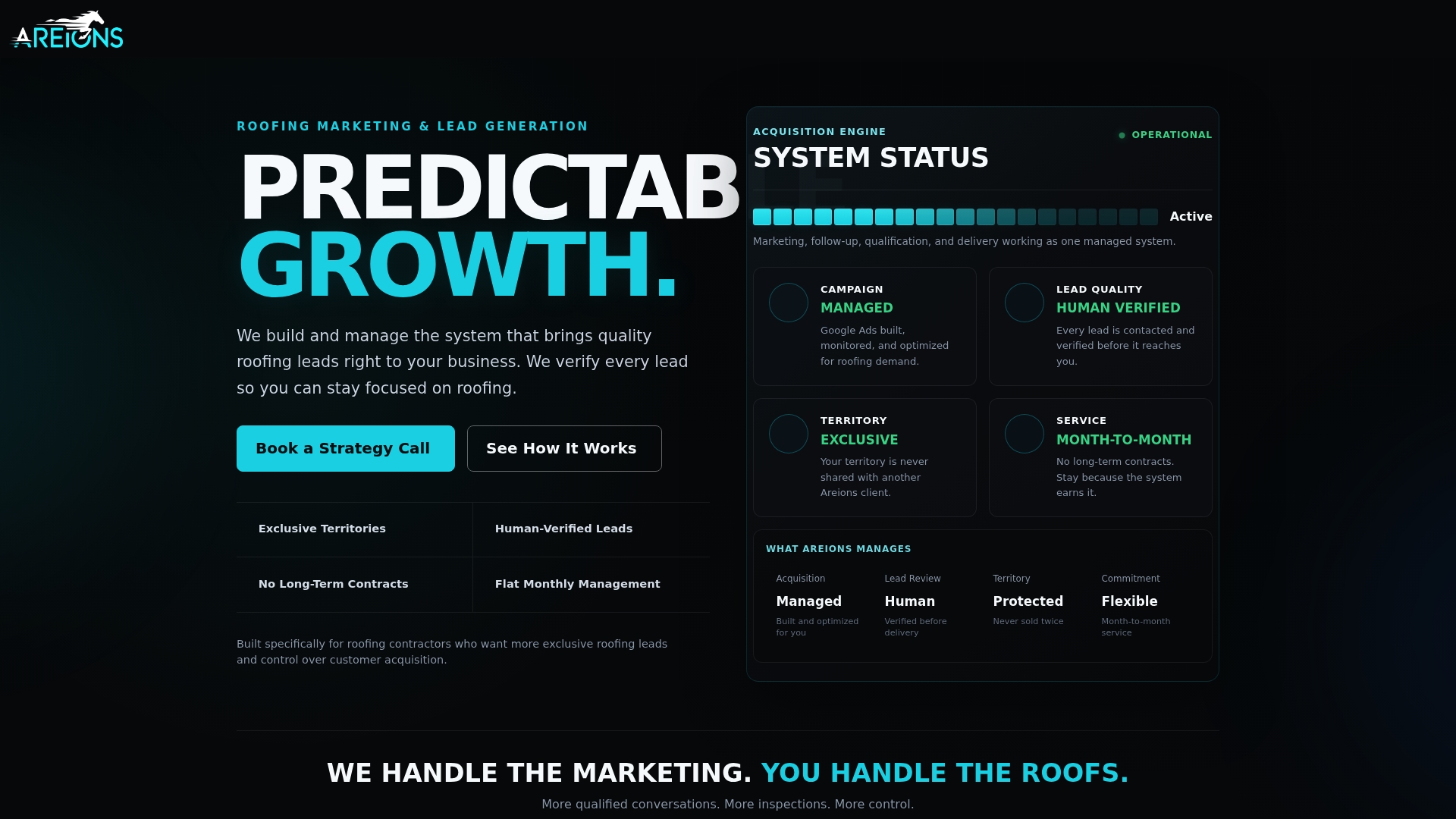
Areions closes that gap with a managed storm-response system that does the routing, verification, and follow-up for you. You get exclusive, human-verified leads from homeowners with confirmed storm damage, delivered directly into your CRM, with a 30-day qualified-lead guarantee and no contract locking you in. The system includes Google Ads management, landing pages, call tracking, CRM setup, automated follow-up sequences, and territory exclusivity so you are not splitting the same storm event with a competitor down the street.
No long-term commitment. No shared leads. No building a routing system from scratch while also running a roofing company.
To see if your territory is available and get a clear picture of what a managed storm-response pipeline looks like for your market, visit Areions and request a consultation.
Sources
- Roofer Storm-Season Lead Response Checklist PDF | ProTradeHQ
- Lead Management Software for Roofing Companies | Leadveyor