
Appointment Scheduling for Roofers: Pick and Set Up Fast
For most roofing companies, the right move is roofing-specific scheduling software paired with a managed lead pipeline and not a generic booking calendar. That combination fixes the three things that actually break roofing schedules: weather delays on multi-day installs, no-shows on inspections, and inspection-to-estimate handoffs that fall through the cracks.
It works because roofing jobs aren’t one-hour appointments. A tear-off and reroof can span two or three days, an insurance inspection has its own paperwork trail, and a hailstorm can force you to rebook many jobs in an afternoon. Generic calendar tools weren’t built for that.
Before you buy anything, run this checklist:
- Confirm the tool integrates with your CRM or field platform (ServiceTitan, Jobber, Housecall Pro).
- Check that it supports multi-day work-order blocking, not just single time slots.
- Turn on two-way SMS reminders and a confirmation step before you launch.
Key Takeaways
Roofing-specific scheduling software combined with a managed lead pipeline solves weather delays, no-shows, and inspection handoffs better than any generic calendar tool.
| Point | Details |
|---|---|
| Match the tool to your lead source | Self-service booking suits high-traffic sites; managed lead systems suit companies without steady inbound volume. |
| Multi-day blocking is non-negotiable | Confirm any platform can reserve consecutive days for a reroof, not just single time slots. |
| Two-way SMS cuts no-shows | Automated confirmations at 48 hours, 24 hours, and 2 hours catch most cancellations before the crew rolls out. |
| Verify CRM writeback before signing | Appointments should sync automatically with ServiceTitan, AccuLynx, or JobNimbus without manual re-entry. |
| Areions fills the pipeline upstream | Its managed storm-response system delivers verified, exclusive leads directly into your booking calendar, month to month. |
Table of Contents
- What Is Appointment Scheduling for Roofers, Exactly?
- Which Scheduling Approach Fits Your Roofing Business?
- Comparing the Top Roofing Appointment Scheduling Options
- How Do You Choose the Right Scheduling Solution?
- Your 30-Day Roofing Scheduling Setup Plan
- Should Homeowners Be Able to Book Their Own Inspection?
- How Should You Schedule Inspections, Estimates, and Emergencies Separately?
- Which CRM and Platform Integrations Actually Matter?
- How Do You Follow Up With Customers Without Annoying Them?
- An Operations Take on Why Generic Calendars Fail Roofers
- A Different Route: Let Storm-Response Leads Fill Your Calendar
- Frequently Asked Questions
- Sources
What Is Appointment Scheduling for Roofers, Exactly?
Appointment scheduling for roofers covers everything from the moment a homeowner requests an inspection to the day your crew finishes the job. That includes the “book now” button on your website, the reminder texts that keep homeowners from ghosting your inspector, the calendar logic that blocks three consecutive days for a reroof, and the dispatch view your foreman checks each morning. Roofing service scheduling tips you’ll find online tend to focus on one piece of this. The businesses that get it right treat it as one connected workflow, not five separate tools bolted together.
The stakes are higher than in most home service trades. A missed HVAC appointment costs you an hour. A missed roofing inspection after a storm can cost you a job worth $8,000 to $15,000, because three other roofers are calling that same homeowner within the week.
Which Scheduling Approach Fits Your Roofing Business?
Five routes dominate the market right now, and they solve different problems.
- Areions (managed storm-response readiness): best for companies that want qualified, storm-driven leads flowing straight into a booking-ready pipeline without adding marketing headcount.
- Roofing-specific scheduling SaaS (platforms like AccuLynx, JobNimbus, or Roofr): best for teams that already generate their own leads and need better internal calendar control, crew routing, and CRM sync.
- All-in-one field service platforms (Housecall Pro, Jobber, ServiceTitan): best for multi-trade contractors who need scheduling bundled with invoicing, payroll, and dispatch in one system.
- Self-service booking widgets (QuoteIQ, SkyQuote): best for roofers with strong organic or paid traffic who want homeowners to book inspections directly off the website.
- Outsourced live schedulers (Pink Callers, SubcontractorHub): best for smaller crews that don’t have anyone free to answer inbound calls during business hours.
If you’re starting from scratch, Areions is the strongest first move: it solves lead volume and booking readiness at the same time, and it runs month to month with no long-term lock-in. The one exception is a large multi-branch enterprise that already runs its own dispatch center and just needs a calendar engine. That company is better served picking straight from the roofing-specific SaaS tier.
Comparing the Top Roofing Appointment Scheduling Options
Here’s how the main approaches stack up on the dimensions that actually matter during a demo.
| Approach | Best For | Pricing / Trial | Roofing-Specific Features | Integrations | No-Show Tools |
|---|---|---|---|---|---|
| Areions | Roofers wanting qualified storm-driven leads without hiring marketing staff | Month-to-month, no long-term contract | Verified storm-damage leads, territory exclusivity | CRM lead routing into your booking calendar | Pre-qualified leads reduce dead-end bookings before they reach the calendar |
| Roofing-specific SaaS (e.g. AccuLynx, JobNimbus, Roofr) | Teams generating their own leads who need better internal scheduling control | Typically $100 to $400 per month per user, free trials common | Multi-day blocking, insurance claims workflow, estimate-to-job conversion | Native CRM, calendar sync, some ServiceTitan integration | Automated reminders, e-signature confirmations |
| All-in-one field platforms (Housecall Pro, Jobber, ServiceTitan) | Multi-trade contractors needing scheduling bundled with invoicing and payroll | $100 to $400 per month depending on seats, trials vary | Job costing tied to schedule, crew timesheets | Broad third-party app marketplace, QuickBooks, Google Calendar | Automated texts and emails, review requests post-job |
| Self-service booking widgets (QuoteIQ, SkyQuote) | High-traffic roofers wanting homeowners to self-book inspections | Lower monthly cost, often under $150, trials common | Google Book button, instant estimate ranges | Website embed, some CRM webhook support | Instant confirmation email/SMS, calendar sync |
| Outsourced live schedulers (Pink Callers, SubcontractorHub) | Small crews without staff to answer calls during business hours | Per-call or monthly package pricing, demo required | Live human qualification of inbound calls | Calendar booking handoff to your existing CRM | Live confirmation calls, callback scheduling |
A few notes on what each snapshot actually means day to day:
- Areions doesn’t compete with your scheduling tool. It feeds it. Verified storm-damage leads land in your CRM already qualified, so your booking calendar fills with homeowners who are actually ready to move forward, not tire-kickers.
- AccuLynx and JobNimbus built their reputations on insurance-claim workflows. If a big share of your revenue comes from storm restoration and adjuster meetings, their claims-tracking screens save real time.
- Roofr leans heavily into instant online estimates paired with booking, which suits roofers who want to shorten the gap between “homeowner fills out a form” and “inspection is on the calendar.”
- Housecall Pro and Jobber are generalist field service platforms. Roofers who also handle gutters, siding, or general repairs often prefer them because one system runs the whole business, not just roofing.
- ServiceTitan is the heavyweight option, built for larger operations, and its native scheduling plus its ability to integrate with other roofing tools makes it a common backbone for companies running $5 million or more in annual revenue.
- Pink Callers and SubcontractorHub solve a narrower but real problem: someone has to pick up the phone. A missed call after a storm often means a lost job, and live human scheduling closes that gap without adding a full-time receptionist.
On integrations, verify two things during any demo: does the tool write appointment data back into your CRM in real time, and does it sync with Google Calendar or Outlook so foremen aren’t checking two systems. On no-show reduction, ask specifically whether reminders are one-way blasts or two-way SMS conversations. Booking widgets that capture a phone number early and confirm through two-way texting convert noticeably better than static email confirmations, because homeowners can reply “running late” or “need to reschedule” without calling anyone.
Pro Tip: Ask every vendor to show you their bulk-reschedule feature live, not in a slide deck. If a hailstorm forces you to move forty appointments in one afternoon, you need to see exactly how many clicks that takes before you sign anything.
Pricing shapes vary more than most roofers expect. Self-service widgets tend to run cheapest since they’re software-only. Roofing-specific SaaS platforms sit in the middle once you add per-user seats. All-in-one platforms and ServiceTitan scale up fast with company size. Managed services like Areions and outsourced schedulers price around service level and lead volume rather than seats. Onboarding timelines follow the same pattern: self-service tools can go live in a day or two, roofing SaaS platforms typically take one to two weeks for CRM sync and team training, and managed services like Areions report qualifying leads within 30 days of launch.
How Do You Choose the Right Scheduling Solution?
Run through this checklist before you commit to any platform or service:
- Does it support multi-day work-order blocking? A reroof isn’t a one-hour visit. If the calendar can’t reserve three consecutive days for one crew, you’ll be fighting the software instead of using it.
- Can it bulk-reschedule for weather? Roofing-specific platforms increasingly build bulk rescheduling around weather disruptions, because manually moving forty appointments one at a time after a storm front rolls through wastes hours your office staff doesn’t have.
- Does it handle the inspection-to-insurance-claim workflow? If storm restoration is a meaningful chunk of revenue, the tool needs a path from initial inspection through adjuster meeting to signed contract.
- Is the mobile app built for job sites, not offices? Foremen wear gloves and work without reliable signal. Apps designed for field crews prioritize offline sync and larger touch targets so a dead zone doesn’t stall the whole crew’s schedule.
- Does it support deposits for high-value bookings? Reroofs and full replacements are big-ticket jobs. A refundable deposit tied to the booking cuts down on no-shows for anything over a few thousand dollars.
On the vendor call itself, ask pointed questions rather than letting the sales rep run the agenda:
- “Walk me through moving 30 appointments after a storm, live, right now.”
- “What happens to my data if I cancel, and what’s the actual export process?”
- “What’s your support SLA if the scheduling system goes down during a storm surge?”
- “How long until my team is fully trained and using this without help?”
Watch for red flags. If a platform can’t demo a bulk-reschedule live, that’s a real limitation, not a formatting choice. If it doesn’t offer two-way SMS, homeowners can’t reply to confirm or reschedule, which quietly raises your no-show rate. And if the pricing page hides fees until a sales call, expect the same behavior after you sign.
Pricing benchmarks worth anchoring on: self-service tools generally land under $150 a month, roofing SaaS platforms run $100 to $400 depending on seats, and full field service suites can exceed $300 monthly once you add users and modules. Onboarding runs from same-day for simple booking widgets to two weeks for full CRM-integrated platforms.
Pro Tip: Ask for the names of two roofing companies similar in size to yours who churned off the platform in the last year, and ask why. Vendors who can’t answer, or won’t, are telling you something.
Your 30-Day Roofing Scheduling Setup Plan
Getting a scheduling system fully operational doesn’t need to take a quarter. Here’s a realistic path:
- Week 1: Configure your service types and standard durations (inspection, estimate, tear-off, full install, emergency tarp). Connect your calendar to your CRM.
- Week 2: Turn on automated SMS and email reminders. Set the cadence: a booking confirmation immediately, then reminders at 48 hours, 24 hours, and 2 hours before the appointment. Add a deposit-confirmation step for jobs over your threshold.
- Week 3: Train foremen and estimators on the mobile app. Confirm offline mode actually works from a job site with weak signal, not just in the office.
- Week 4: Run a live weather-reschedule drill. Pick a random day and practice bulk-moving ten appointments to see how long it actually takes your team.
On the ground, block multi-day installs as single reserved units rather than daily slots, batch inspections by neighborhood or zip code to cut drive time, and build in 30-minute buffers between appointments for travel and a quick safety check on the ladder and gear.
Pro Tip: Hold a small refundable deposit on any job over your average ticket size, keep two open emergency slots per week reserved for storm response, and set calendar visibility so your showroom staff can’t accidentally double-book a crew slot your dispatcher already claimed.
The SBA’s guidance on managing business finances backs the deposit strategy directly: tracking appointment-driven cash flow and planning deposits into your pricing structure is standard small-business cash management, not an aggressive sales tactic.
Should Homeowners Be Able to Book Their Own Inspection?
Yes, for the majority of your leads. A “Book Now” button on your website, paired with Google’s Reserve with Google feature, lets a homeowner go from search result to booked inspection without ever picking up the phone. Simple one-tap booking flows that capture a phone number early in the form recover a meaningful share of homeowners who would otherwise abandon a longer contact form halfway through.
The catch is that self-service works best for straightforward jobs. A homeowner requesting a routine inspection or a repair estimate can book themselves without a conversation. A homeowner reporting storm damage who might have an insurance claim usually needs a quick qualifying call first, because the appointment type, paperwork, and timeline change depending on whether an adjuster is involved.
The practical setup: put a booking widget on your site and your Google Business Profile for standard inspections and estimates, but route storm-damage inquiries through a quick phone qualification step before they land on the calendar. That keeps your schedule clean and prevents a crew from showing up to a job that turns out to be a different scope than expected. Treating every digital inquiry as an appointment-ready lead, capturing the phone number early, and following up fast on anyone who starts but doesn’t finish the booking form, consistently increases how many inquiries actually turn into scheduled inspections.
How Should You Schedule Inspections, Estimates, and Emergencies Separately?
Not every roofing appointment is the same appointment. Treating an emergency tarp call the same way you treat a routine gutter inspection wastes both your dispatcher’s time and the homeowner’s patience.
Build four distinct scheduling types into your calendar logic. Inspections run 30 to 60 minutes and can usually be booked same-week. Estimates need slightly more buffer, since they often follow directly after an inspection and might involve measuring, photos, and a conversation about materials. Repairs vary wildly in duration, so your system needs a way to flag “unknown scope” jobs for a callback confirmation rather than a fixed slot. Emergencies, like storm damage requiring an immediate tarp, need dedicated same-day or next-day slots held open and never filled by routine work.

Insurance-related jobs deserve their own workflow inside whichever category they fall under. An inspection tied to a homeowner’s insurance claim typically needs documentation, photos timestamped for the adjuster, and sometimes a joint visit. Roofing-specific platforms that build claims tracking directly into the scheduling flow save real back-and-forth compared to managing claim paperwork in a separate system entirely.
The scheduling mistake that costs roofers the most money is treating emergency slots as regular inventory. If your calendar fills up with routine repairs and a hailstorm hits on a Tuesday, you have nowhere to put the fifteen emergency tarp requests that come in by Wednesday morning. Keep two or three emergency slots open per week at all times, and only release them to routine bookings 48 hours out if nobody’s claimed them.
Which CRM and Platform Integrations Actually Matter?
Three integrations separate a scheduling tool that helps your operation from one that becomes another screen someone has to check.
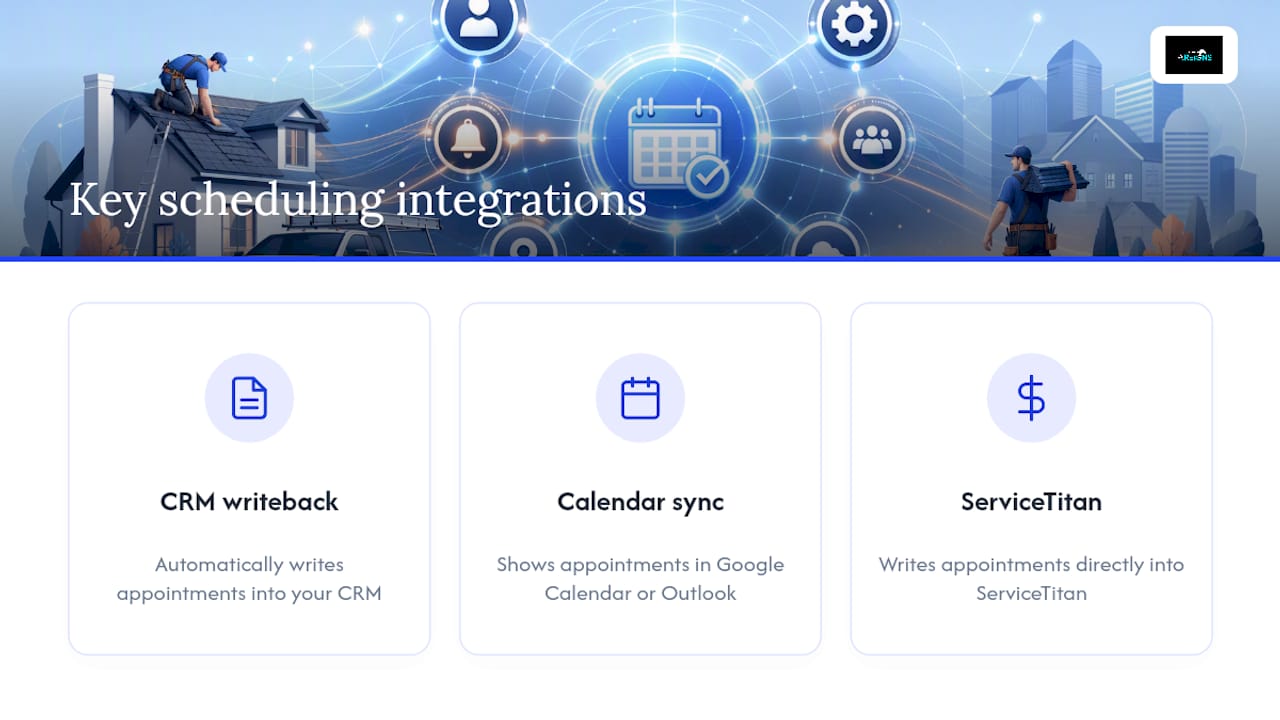
CRM writeback matters most. When a homeowner books an inspection, that appointment needs to show up automatically in your CRM, whether that’s ServiceTitan, AccuLynx, JobNimbus, or something else, without anyone manually re-entering the data. Manual re-entry is where appointments get lost, duplicated, or double-booked.
Calendar sync matters for your field team. Foremen and estimators need appointments to appear on the calendar they already check, usually Google Calendar or Outlook, not a separate app they have to remember to open.
ServiceTitan integration deserves a specific mention because it’s become something of an industry standard for larger roofing operations. If you already run ServiceTitan for invoicing, payroll, and job costing, look specifically for scheduling tools that write appointments directly into ServiceTitan rather than requiring a manual export or a third-party connector that breaks every time either platform updates.
Beyond those three, field service platforms increasingly emphasize skill-based and location-based automated assignment, meaning the system suggests which crew should take which job based on who’s closest and who’s qualified for that scope of work. That feature matters more as your crew count grows past three or four teams, since manual dispatch decisions start eating real time once you’re juggling more than a handful of trucks.
How Do You Follow Up With Customers Without Annoying Them?
The cadence matters as much as the channel. Send a booking confirmation immediately by both email and SMS, then follow with reminders at 48 hours and 24 hours before the appointment, and a final text two hours out. That final reminder is where most no-shows get caught, because it gives the homeowner a real chance to say “actually, can we move this.”
Phone calls still matter for two specific moments: qualifying a storm-damage lead before booking, and confirming a high-value job the day before installation begins. Everything in between, routine confirmations, reschedule requests, and reminders, works better as two-way text. Homeowners respond to a text in seconds; they let a phone call from an unknown number go to voicemail.
After the job wraps, follow-up communication shouldn’t stop at the invoice. A same-day text asking for a review, paired with a follow-up email a few days later with warranty information and care instructions, keeps your name in front of the customer for the next referral. Roofers who automate this step consistently see more repeat business from past customers reporting new damage after the next storm season, because the homeowner already has a saved contact and a good impression.
One practical rule: never let automated reminders and human follow-up collide. If your dispatcher is calling a homeowner to reschedule, make sure the automated 24-hour reminder doesn’t fire at the same time with conflicting information. That kind of mismatch erodes trust fast.
An Operations Take on Why Generic Calendars Fail Roofers
Roofing-specific scheduling beats a generic calendar because roofing work doesn’t fit inside neat one-hour boxes. A reroof spans days, weather forces last-minute changes, and a missed callback after a storm hands the job to a competitor. Route-aware scheduling that batches jobs by geography instead of by whoever called first cuts wasted drive time between appointments, which matters directly given how the roofing workforce already runs on seasonal, weather-driven patterns.
Staffing seasonal crews adds another layer. Part-time and seasonal roofers need simpler calendar views than your lead foreman, since overloading a temporary hire with a full dispatch dashboard just slows everyone down. Give core crews full visibility and give seasonal help a stripped-down view of just their own assigned jobs for the day.
A Different Route: Let Storm-Response Leads Fill Your Calendar
Every tool covered here helps you manage appointments once a homeowner reaches out. Areions works one step earlier: it puts verified storm-damage leads into your pipeline before your competitors even know the storm hit, so your scheduling calendar has something worth filling in the first place.
Areions runs as a month-to-month managed service, with no long-term contract locking you in if it isn’t delivering. Here’s how it complements whatever scheduling tool you choose:
- Verified homeowner leads with confirmed storm damage, not cold traffic from a generic ad campaign.
- Territory exclusivity, so you’re not competing against three other roofers for the same lead your ad dollars paid for.
- Direct CRM routing, so qualified leads land straight in your dispatch calendar ready to book, instead of sitting in an inbox.
Areions reports qualifying leads within 30 days of launching a campaign in a given territory. If you’re ready to see whether your market has territory still available, schedule a qualification call and find out what a full pipeline looks like before the next storm season hits.
Frequently Asked Questions
What is the best appointment scheduling for roofers with small teams? Outsourced live scheduling services like Pink Callers or SubcontractorHub often fit small teams best, since they answer inbound calls without requiring you to hire a dedicated scheduler.
How much does roofing scheduling software typically cost? Self-service booking widgets often run under $150 a month, roofing-specific SaaS platforms typically fall between $100 and $400, and full field service suites can exceed $300 once you add users and modules.
Can scheduling software reduce roofing no-shows? Yes. Two-way SMS reminders at 48 hours, 24 hours, and 2 hours before an appointment, combined with deposits on high-value jobs, meaningfully reduce no-shows compared to a single email confirmation.
Does ServiceTitan integrate with roofing appointment scheduling tools? Many roofing-specific scheduling platforms offer ServiceTitan integration or writeback, which matters if your company already runs ServiceTitan for invoicing and job costing.
How long does it take to set up a roofing scheduling system? Self-service booking widgets can go live in a day or two, roofing-specific SaaS platforms usually take one to two weeks for CRM sync and team training, and managed lead services like Areions typically report qualifying leads within 30 days.
Sources
- Manage your finances | SBA
- Roofers: Occupational Outlook Handbook | BLS
- Aircon cleaning leads: a practical guide for operators | MyAirCare blog